Free AI Letter Generator No Sign-Up: What You Can Create Instantly
A practical guide to drafting useful letters without an account, protecting sensitive details, and editing the result before you send it.

Quick answer
Yes. An AI letter generator no sign up can give you a useful first draft immediately when you provide the recipient, purpose, important facts, tone, and desired length. The fastest workflow is not “ask for a perfect letter”; it is “give the tool enough real context, generate one draft, then edit every name, date, promise, and personal detail.” No sign-up removes account friction, but it does not automatically mean that a service stores nothing. Check the privacy policy and avoid pasting confidential information you do not need to share.
How an AI Letter Generator No Sign-Up Workflow Works
The phrase “no sign-up” describes access, not writing quality. You should be able to open the page, describe the situation, generate a draft, and copy or revise the result without first creating a profile. That is useful when you need a letter now, are testing a tool, or do not want another account for a one-time task.
For a working example, open the free AI letter generator and start with the facts you already know. A short, specific prompt normally produces a better draft than a long request filled with generic praise.
- No account step — You can begin from the writing form instead of an email, password, or onboarding flow.
- Context still matters — The tool needs a recipient, purpose, key facts, requested action, and tone to avoid a vague template.
- Human review is part of the process — Treat the output as a draft. Confirm names, dates, amounts, promises, attachments, and any claim that another person could challenge.
What Can You Create with a Free AI Letter Generator?
A general letter writer is most useful for structure and wording. It can help you turn notes into a readable message, but it cannot decide what is true, what is legally safe, or what relationship you have with the recipient. Choose the letter type first, then add the details that make the situation specific.
- Cover letters — Connect selected resume achievements to a job description without copying the resume line by line.
- Formal and business letters — Organize a request, inquiry, meeting follow-up, or official message with a clear opening and closing.
- Complaint and escalation letters — Explain the timeline, evidence, impact, and requested resolution in a calm format. Keep legal conclusions for a qualified professional.
- Thank-you and appreciation letters — Mention the specific help or contribution, why it mattered, and what you hope happens next.
- Personal letters — Use memories, relationship context, and a natural voice instead of asking for a generic emotional message.
If the letter is formal or official, the dedicated AI formal letter generator can give you more focused fields than a blank prompt.
A Five-Step Workflow for Writing a Letter Without an Account
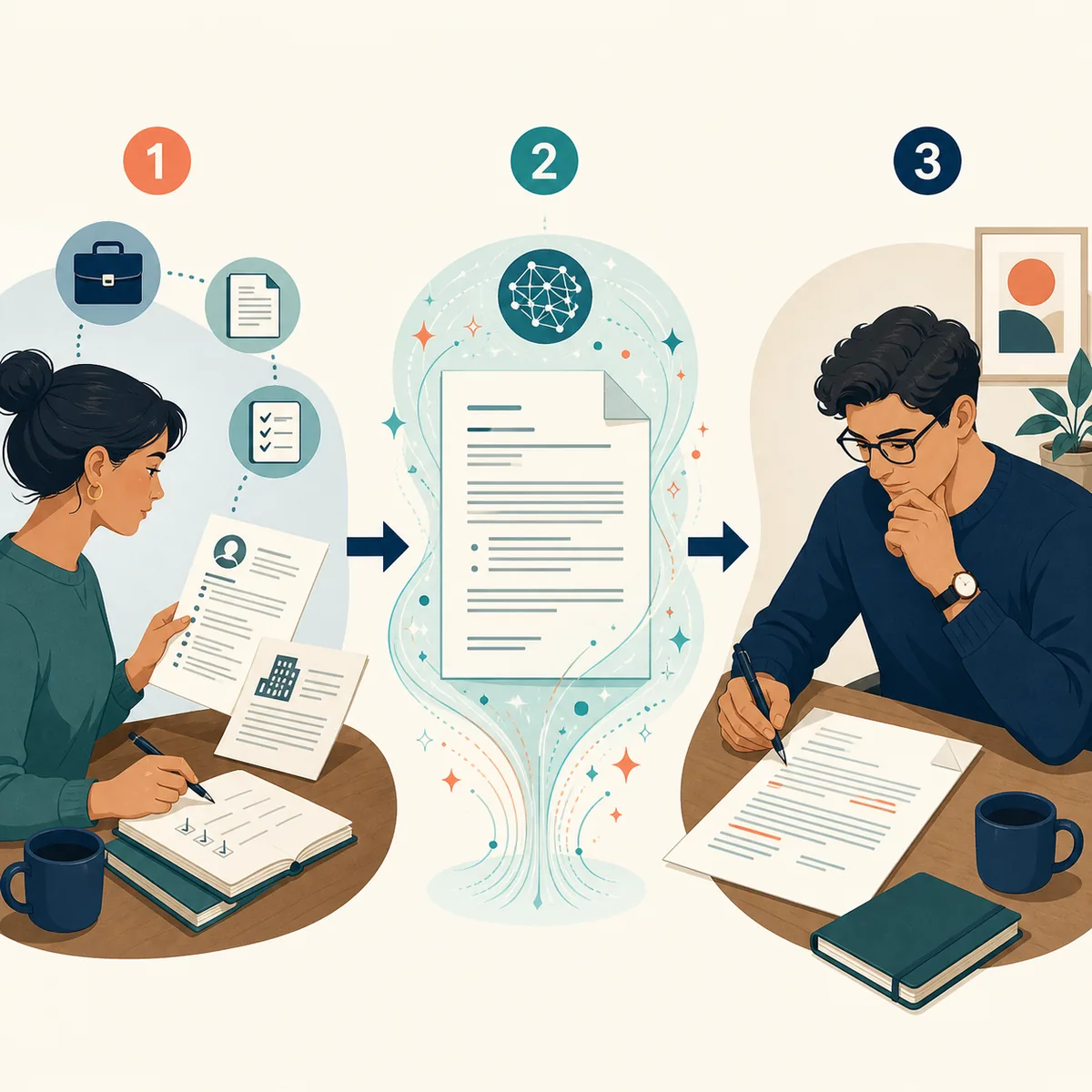
The best no-sign-up process is short, repeatable, and easy to audit. Prepare the facts before you click generate so the tool spends its effort organizing your message instead of guessing what happened.
- 1. Name the job of the letter
Write one sentence explaining what the recipient should understand or do after reading it. For example: request a billing correction, introduce a job application, or thank a mentor.
- 2. Add the factual brief
List names, dates, relevant numbers, sequence of events, evidence, relationship, and the action you want. Mark anything uncertain instead of letting the tool fill the gap.
- 3. Set the voice and boundaries
Choose professional, warm, concise, firm, or apologetic. Tell the generator not to invent achievements, legal claims, deadlines, policies, or personal history.
- 4. Generate one focused draft
Ask for a clear subject or opening, short paragraphs, a specific request, and a practical closing. One good draft is easier to edit than five similar versions.
- 5. Verify before copying
Read the letter beside your notes. Replace generic praise with evidence, remove anything untrue, check the recipient’s name, and confirm that the requested next step is obvious.
Privacy Checks Before Using a No-Sign-Up Letter Tool
No registration is a helpful privacy signal because you do not need to create a persistent profile, but it is not a complete data-retention promise. The service may still process technical data or the text you submit. Use the smallest useful amount of information and read the site’s policy before sharing anything sensitive.
| Check | Why it matters | Practical action |
|---|---|---|
| Personal identifiers | A letter often contains names, phone numbers, addresses, or account references. | Use placeholders while drafting and add the final details during your own edit when possible. |
| Confidential work data | Client records, internal metrics, contracts, and private correspondence may not belong in a public writing prompt. | Summarize the situation without copying confidential documents or secret values. |
| Retention language | A no-sign-up page can still have its own processing and storage terms. | Read the Privacy Policy and look for explanations of collection, use, sharing, and retention. |
| Third-party material | Pasting another person’s personal story or customer data can create a separate permission problem. | Remove details you do not need and get permission when the context requires it. |
For this site’s data-handling details, read the Privacy Policy.
Limits to Understand Before You Press Send
A free AI letter writer is a drafting aid, not a witness, lawyer, hiring manager, or relationship counselor. Most disappointing results come from asking it to solve a missing-context problem or accepting polished wording without checking the underlying facts.
- It can sound generic — Add one concrete detail, result, memory, or timeline to each important paragraph.
- It can infer incorrectly — If a prompt is ambiguous, the draft may confidently choose the wrong relationship, date, policy, or requested outcome.
- It should not invent evidence — Never accept made-up credentials, diagnoses, legal citations, refunds, employment claims, or promises.
- It is not a legal opinion — For disputes, contracts, employment rights, debt, housing, or threats of legal action, get qualified advice before sending.
- Free access may have limits — A site can change rate limits, model availability, or output length. Keep a copy of your notes so you can finish the letter if a session ends.
How to Make a No-Sign-Up AI Draft Sound Like You
The final edit is where a quick draft becomes your letter. Read it once for truth, once for tone, and once for the recipient’s next action. If a sentence could be sent to anyone, it probably needs a detail only you can provide.
- Keep one real detail per paragraph — Name the project, event, problem, contribution, or reason that makes the message specific.
- Cut borrowed enthusiasm — Words such as “thrilled” or “ideal” are not proof. Replace them with an example or remove them.
- Match the relationship — A landlord, recruiter, professor, customer-service agent, friend, and manager do not need the same greeting or level of formality.
- Make the request easy to find — State the next step, deadline, preferred reply, or attachment near the end instead of hiding it in a long paragraph.
- Read it aloud — Listening catches repeated phrases, stiff transitions, accidental blame, and promises you would not make in conversation.
For a job-specific prompt and editing checklist, continue with How to Write a Cover Letter with AI .
AI Letter Generator No Sign-Up FAQ
Need a letter draft now?
Open the free generator, add your real context, and keep the final edit in your hands.
Open AI Letter Generator